How to Build an AV Checklist for University Events
12 minute read
Table of Contents
MAIN AUDITORIUM AND PLENARY HALL AV CHECKLIST
SOUND SYSTEM ESSENTIALS FOR LARGE HALLS
PROJECTION VS LED WALLS: CHOOSING THE RIGHT DISPLAY
VIDEO CAPTURE, SWITCHING AND STAGE LIGHTING
BREAKOUT ROOM AV CHECKLIST: WHERE MOST CONFERENCE PLANS FALL SHORT
Display and Audio Minimums for Session Rooms
Adapter Kits, Control Systems and Cable Redundancy
Standardizing Setup Across Multiple Rooms
PRESENTER TECH SPECS AND SUBMISSION PROTOCOLS THAT PREVENT DAY-OF-CHAOS
File Format, Resolution, and Font Requirements
Submission Deadlines and the Slide Preview Room
Slide Clicker and Microphone Protocol
HYBRID EVENT STREAMING CHECKLIST: LIVE STREAMING AND NETWORK REQUIREMENTS
Bandwidth and Network Infrastructure Requirements
Encoder Setup and Streaming Platform Selection
Redundancy and Failover Planning
ADA ACCESSIBILITY COMPLIANCE: THE AV ITEMS PLANNERS SKIP
Assistive Listening Systems and Hearing Loop Setup
CART Captioning and ASL Interpreter Logistics
Screen Captioning and Audio Description Requirements
AV STAFFING, THE RUN SHEET AND THE CONTINGENCY PLAN
Technician Roles and Staff-to-Room Ratios
Building the AV Run Sheet and Pre-event Timeline
Backup Equipment Inventory and Contingency Protocols
PUT THE CHECKLIST TO WORK BEFORE THE EVENT
A large university conference can mean a plenary hall seating 1,500, eight concurrent breakout sessions, a live stream, more than 30 speakers arriving with different laptop setups and legal obligations under the Americans with Disabilities Act — all running at the same time. When something goes wrong at events like these, the cause is rarely a broken projector. It is almost always a gap in planning: a breakout room that was never standardized, a speaker who submitted a keynote file or a streaming circuit that could not handle the load. A useful AV checklist does more than list equipment: it ties every technical decision to a specific outcome, so nothing falls through the cracks between departments, vendors and sessions.
The room-by-room framework below covers the full scope of a large academic conference, from the plenary stage to the last breakout room.
MAIN AUDITORIUM AND PLENARY HALL AV CHECKLIST
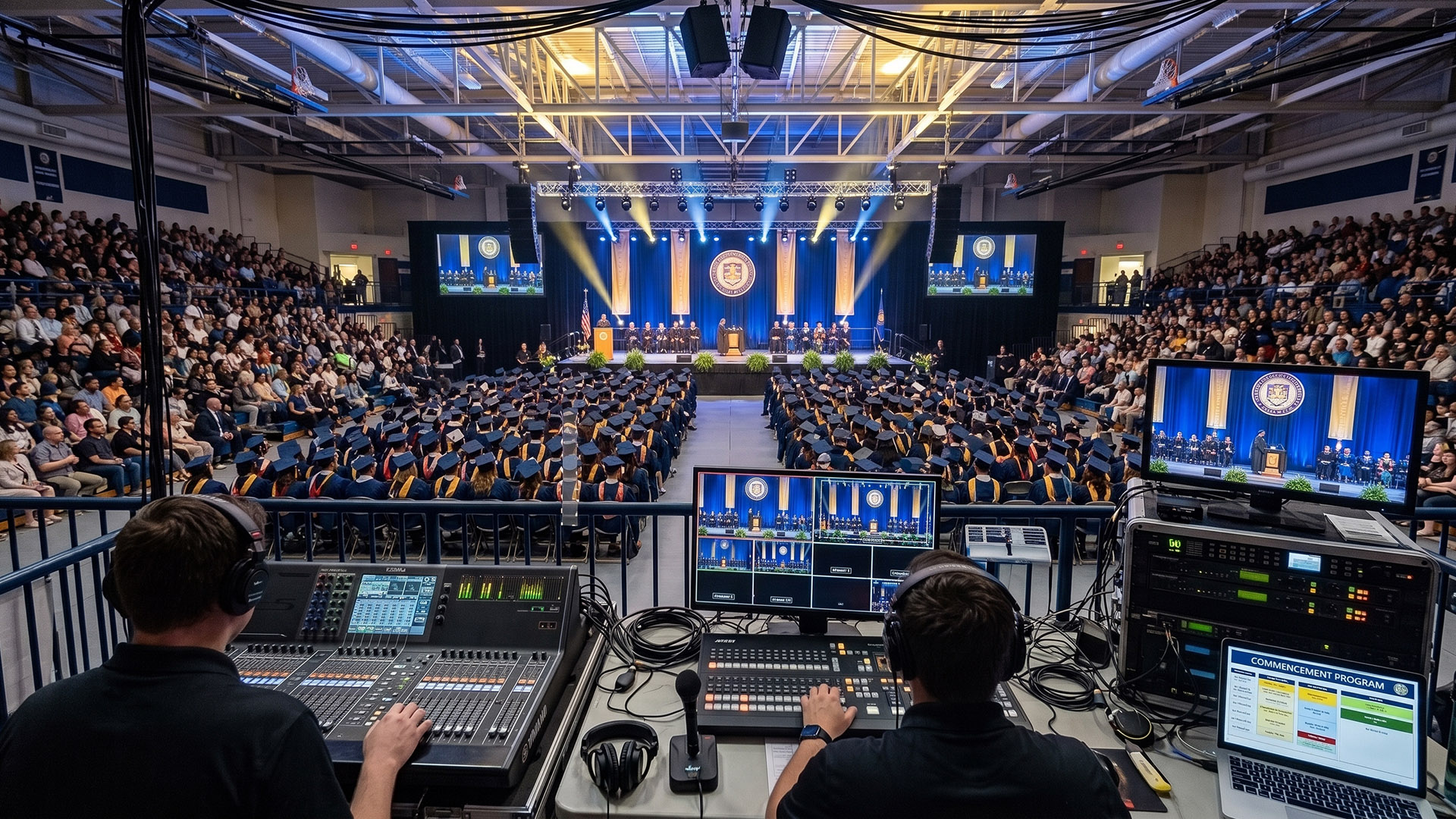
The plenary hall sets the tone for the entire conference. For 500 to 2,000 attendees, every equipment decision should answer one question: Will it work from the back row under the actual lighting conditions? Most visibility failures happen not because a projector was underpowered on paper, but because no one accounted for the house lights staying on during the keynote.
SOUND SYSTEM ESSENTIALS FOR LARGE HALLS
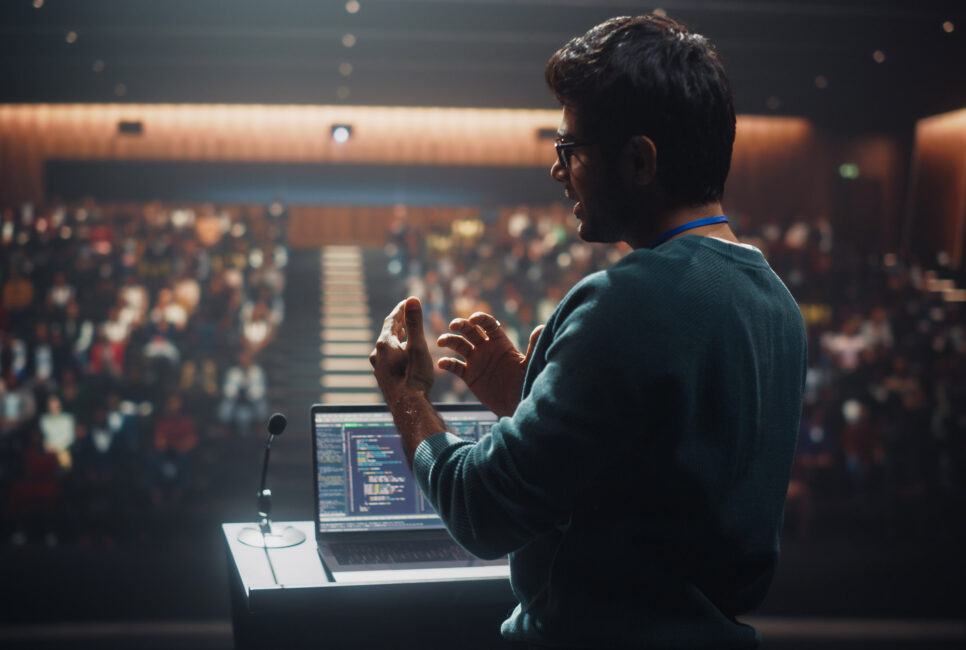
The main PA system needs two to four high-output directional cabinets per side, positioned to cover the floor evenly, plus subwoofers for low-frequency clarity in a large space. A 32- to 48-channel digital mixing console gives the A1 operator enough routing flexibility to balance keynote presenters, panel microphones, video playback and streaming outputs at the same time. Wireless lavalier and headset mics work for keynotes; handheld wireless mics serve panel discussions. Plan on backup wired handheld mics at floor or aisle positions for Q&A, because wireless failures tend to happen at the worst possible moment.
PROJECTION VS LED WALLS: CHOOSING THE RIGHT DISPLAY
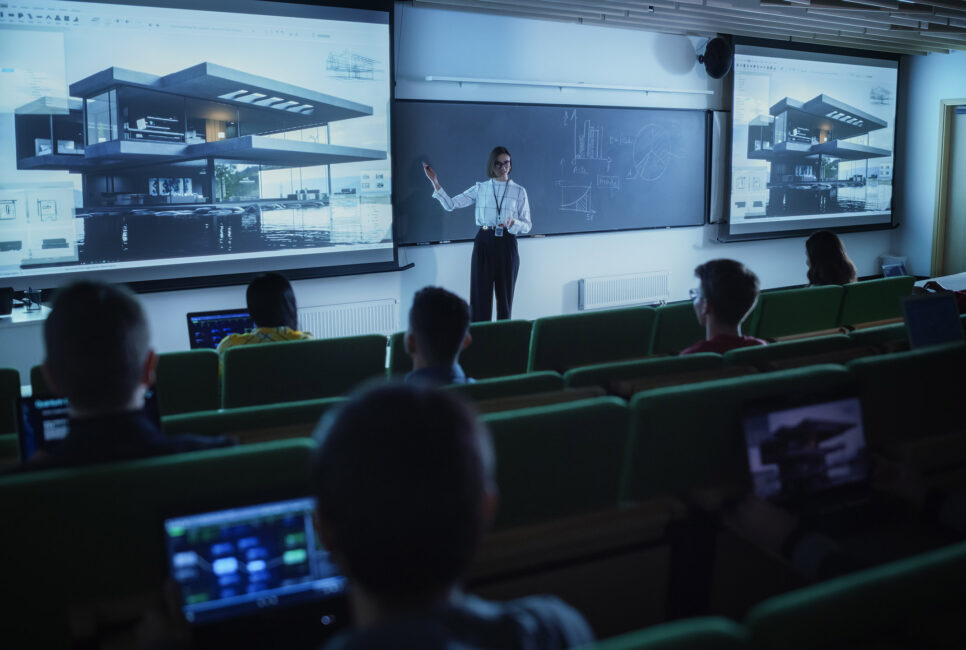
In rooms where house lighting stays controlled, a 4K projector rated at 5,000 to 8,000 lumens or more, paired with a 120- to 160-inch screen, covers most large-hall setups. When the room is bright, the event is branding heavy or the audience exceeds 1,000 people, an LED video wall delivers better contrast, higher perceived resolution and no washout from ambient light.
Confidence monitors near the stage matter as much as the main display. Presenters who can see their slides without turning around move more naturally and hold audience attention. Rear projection is a clean option when backstage depth allows it.
VIDEO CAPTURE, SWITCHING AND STAGE LIGHTING
Two to four HD or 4K cameras on tripods — front-center, sides and back of the room — give the streaming operator enough angles to produce a professional feed. A video switcher handles transitions among camera feeds, presentation laptops and prerecorded content. For stage lighting, spotlights on the podium and LED uplighting behind the stage create a clean presenter appearance on screen and on camera, and a dimmer system lets the lighting tech adjust room mood without hard cuts.
BREAKOUT ROOM AV CHECKLIST: WHERE MOST CONFERENCE PLANS FALL SHORT
Breakout rooms are where conference AV planning most often breaks down. Because the equipment scale is smaller, planners tend to treat these rooms as afterthoughts. But a session chair who cannot connect a laptop, or a room where half the audience cannot hear the panelist, creates the same reputational problem as a plenary failure.
Display and Audio Minimums for Session Rooms
For rooms holding 30 to 80 people, a 65- to 86-inch commercial display at the front wall provides adequate visibility without the complexity of projection. A portable PA speaker or ceiling speaker system handles audio. One wireless microphone per room is the minimum, even for small sessions — academic presenters speak at length and move around, and without mic coverage the back row disengages quickly. Interactive touch screens add value in workshop formats built around real-time annotation or collaboration.
Adapter Kits, Control Systems and Cable Redundancy
Every breakout room needs a standardized adapter kit: HDMI, USB-C, Mini DisplayPort, VGA and XLR at minimum. A power strip at the presenter table covers laptops, clickers and other devices. AV control panels tied to a central management system let a single technician monitor display status, audio levels and input sources across multiple rooms without entering each one — essential when the staff-to-room ratio requires one floater covering several sessions at once.
Standardizing Setup Across Multiple Rooms
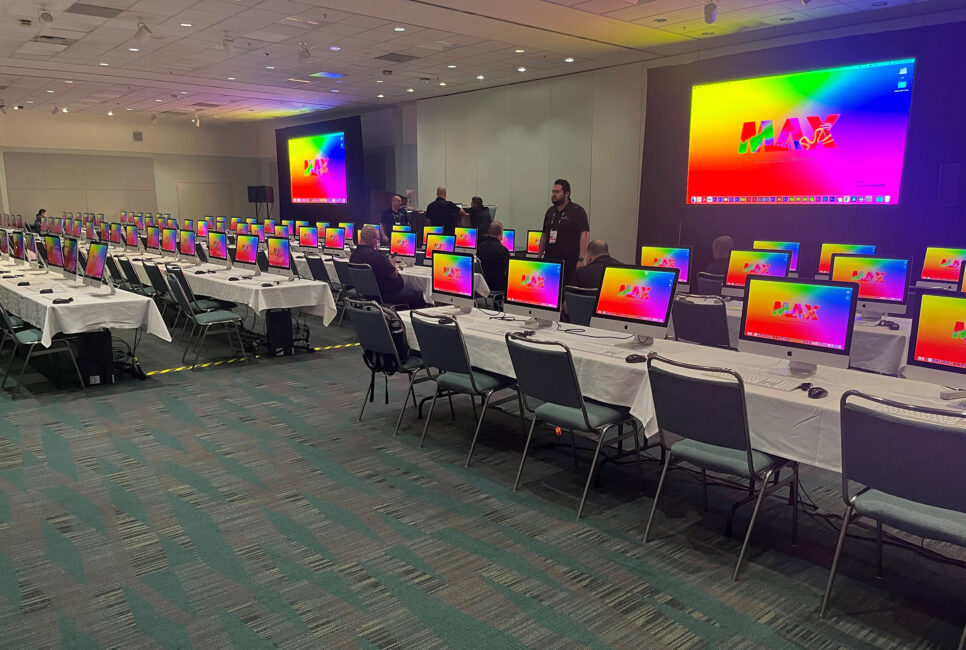
When every breakout room runs an identical configuration, technicians can troubleshoot in two minutes instead of 20 because they already know where every cable routes and how every input is labeled. Speakers adapt faster, too. They walk in, plug in the same way they did in the last room and start on time. Identical templates per room type are one of the highest-leverage decisions in any AV equipment and staging list for a university conference, and one of the most frequently skipped. For a practical guide that contrasts general sessions with breakouts, use an AV setup checklist to standardize configurations before load-in.
PRESENTER TECH SPECS AND SUBMISSION PROTOCOLS THAT PREVENT DAY-OF-CHAOS
More day-of failures trace back to miscommunication with speakers than to equipment. A presenter who arrives with an incompatible file format, a 4:3 slide deck or video embedded from a streaming link creates a cascade of delays when the tech team is already stretched across multiple rooms. Distributing clear specifications weeks before the event closes that gap. Many campuses publish formal presenter guidelines that can be adapted for a speaker brief.
File Format, Resolution, and Font Requirements
Require .pptx format, a 16:9 aspect ratio and 1920×1080 resolution. Set a minimum font size of 24 points, require all fonts to be embedded and Windows-compatible (Arial and Helvetica are safe defaults), and keep video files under 50 MB per clip. Nonstandard formats such as PDFs and Mac-native presentation files behave differently across display systems and can lose embedded media. High-contrast backgrounds — dark field with light text — hold up under varying room lighting and reproduce cleanly on camera. Refer speakers to an event AV glossary if terms in the brief are unfamiliar.
Submission Deadlines and the Slide Preview Room
Include a 24-hour submission deadline in the speaker brief and reinforce it with a reminder two days before the event. Open the on-site slide preview room for a two-hour check-in window before sessions begin and ask speakers to arrive at least 15 minutes before their session start time. Every speaker should bring two USB copies as backup, and internet-dependent presentations should not be treated as a fallback at the venue level.
Slide Clicker and Microphone Protocol
USB-compatible clickers work across most setups; confirm compatibility at the preview room check-in. Give each speaker 15 seconds after they begin speaking for the wireless mic system to stabilize before the opening line. For lightning-talk sessions — a short presentation followed by Q&A — brief moderators in advance on enforcing time limits so delays do not compound across an eight-session afternoon.
HYBRID EVENT STREAMING CHECKLIST: LIVE STREAMING AND NETWORK REQUIREMENTS
Most university conferences now run at least one hybrid track, and many stream multiple sessions at once. Bandwidth and encoder decisions made before the event determine whether the remote audience gets a professional experience or a buffering screen. These are not IT decisions to defer until the final week; they need to be confirmed with venue infrastructure teams months in advance.
Bandwidth and Network Infrastructure Requirements
For multiple simultaneous 1080p streams, target 60 to 70 Mbps of dedicated upload bandwidth as a floor. Per-stream bitrate runs 5 to 8 Mbps for 1080p at 30 frames per second, and plan for 1.5 times the combined bitrate to absorb network fluctuations without dropped frames. For practical guidance on bandwidth for streaming and how per-stream bitrates add up, consult vendor resources when building the network spec. Wired Ethernet on a fiber or business-grade connection is the only acceptable baseline. Wi-Fi and cellular fallback introduce latency and instability, and shared building internet means competing with every other user on the connection.
Encoder Setup and Streaming Platform Selection
H.264 encoding at 4,500 to 9,000 Kbps per stream with a two-second keyframe interval is the professional standard for academic conference streaming. Dynamic bitrate adjustment in the encoder software manages brief connection dips without a full dropout, and dedicated hardware encoders outperform software-only setups under load. When selecting a streaming platform, confirm it supports interactive Q&A, recording for on-demand access and simultaneous ingest for parallel tracks. For a quick check on recommended internet speeds for live streaming, an ISP-focused guide can validate planned headroom.
Redundancy and Failover Planning
Run dual internet connections: primary fiber with a 5G backup that activates automatically on failover. Test upload speed at the same time of day and from the same network location as the live event, not from an office the week before. Where possible, pre-schedule stream segments so recorded content can fill gaps if a live connection drops mid-session. These practices add little cost, and they separate a recoverable incident from a visible failure in front of a remote audience.
ADA ACCESSIBILITY COMPLIANCE: THE AV ITEMS PLANNERS SKIP
Accessibility requirements under the Americans with Disabilities Act are legal obligations at university-hosted events, not optional enhancements. Failing to provide compliant assistive listening systems or captioning when audible communication is integral to a session is an ADA violation, and the consequences extend beyond the event itself. These items belong inside the AV setup, not in a separate procurement category.
Assistive Listening Systems and Hearing Loop Setup
Any assembly area where a microphone is in use requires an assistive listening system. The minimum receiver count is 4% of fixed seating capacity, and at least 25% of those receivers must be hearing-aid compatible with telecoil support. Induction loop systems suit large halls; infrared systems work better where confidentiality matters. Post signage at the room entrance using the International Symbol of Access for Hearing Loss so attendees can find the system without asking. For technical and procurement guidance, the National Deaf Center publishes campus-focused assistive listening systems guidance.
CART Captioning and ASL Interpreter Logistics
Route audio directly from the mixing console into the CART computer so the captioner receives a clean feed rather than room audio. Confirm CART coverage proactively for any live-streamed session, not only on request. For American Sign Language interpreters, reserve a dedicated sightline position in the room layout before seating is finalized — interpreter sightline space added after the room fills is nearly impossible to create without disrupting attendees.
Screen Captioning and Audio Description Requirements
Run captions on all presentation screens, not just a secondary accessibility monitor. Caption all session video content before the event; live-added captions on video are unreliable under conference conditions. Brief speakers to verbally describe key visuals so attendees with low vision receive equivalent content. Mount AV control panels between 15 and 48 inches from the floor to meet wheelchair access standards.
AV STAFFING, THE RUN SHEET AND THE CONTINGENCY PLAN
A complete equipment list only works when the right people are running it on a documented schedule. Staffing gaps and run sheet ambiguity cause more visible failures during a large academic conference than hardware problems do.
Technician Roles and Staff-to-Room Ratios
The core production team for a large plenary includes a head AV tech, an A1 audio operator, an A2 for stage mic management, a streaming operator and a stage manager. For breakout rooms, assign one dedicated technician per active session room, plus one floater per 20 to 25 staff to handle bottlenecks at registration, session transitions and the slide preview room. Session chairs for hybrid breakouts should be comfortable enough with the technology to field virtual questions without routing every issue to a technician.
Building the AV Run Sheet and Pre-event Timeline
A usable run sheet includes equipment check times, sound check windows by room, speaker arrival confirmations, streaming test call times and session-by-session cue notes with source transitions marked. Large academic conferences need a nine- to 12-month planning runway to secure venue commitments, confirm vendor availability and allow adequate lead time for speaker communication. The run sheet is the document that turns that planning into executable instructions on event day.
Backup Equipment Inventory and Contingency Protocols
The contingency inventory should include spare wireless microphones, backup cables for every connector type in use, a redundant projector or spare display for each room type, and uninterruptible power supplies for critical equipment. Document who owns each backup item and who is authorized to deploy it, so the contingency plan is not split across supplier agreements that no one fully coordinates.
PUT THE CHECKLIST TO WORK BEFORE THE EVENT
A comprehensive AV checklist for a large university conference is a layered system. It connects equipment decisions to room configurations, presenter specs to streaming infrastructure, and all of it to an accessible, staffed and tested execution plan. The most common conference failures do not come from total breakdowns. They come from one category that was treated as someone else’s responsibility.
The conferences that run cleanly are not the ones with the biggest budgets. They are the ones where someone did this work six months in advance and left nothing to assumption.
Ready to take the checklist off your plate? SmartSource provides end-to-end event AV services for higher education — equipment sourcing, LED wall staging, on-site technicians and post-event support — under a single contract with one point of accountability. Connect with SmartSource to start planning your next conference.